

How It Works
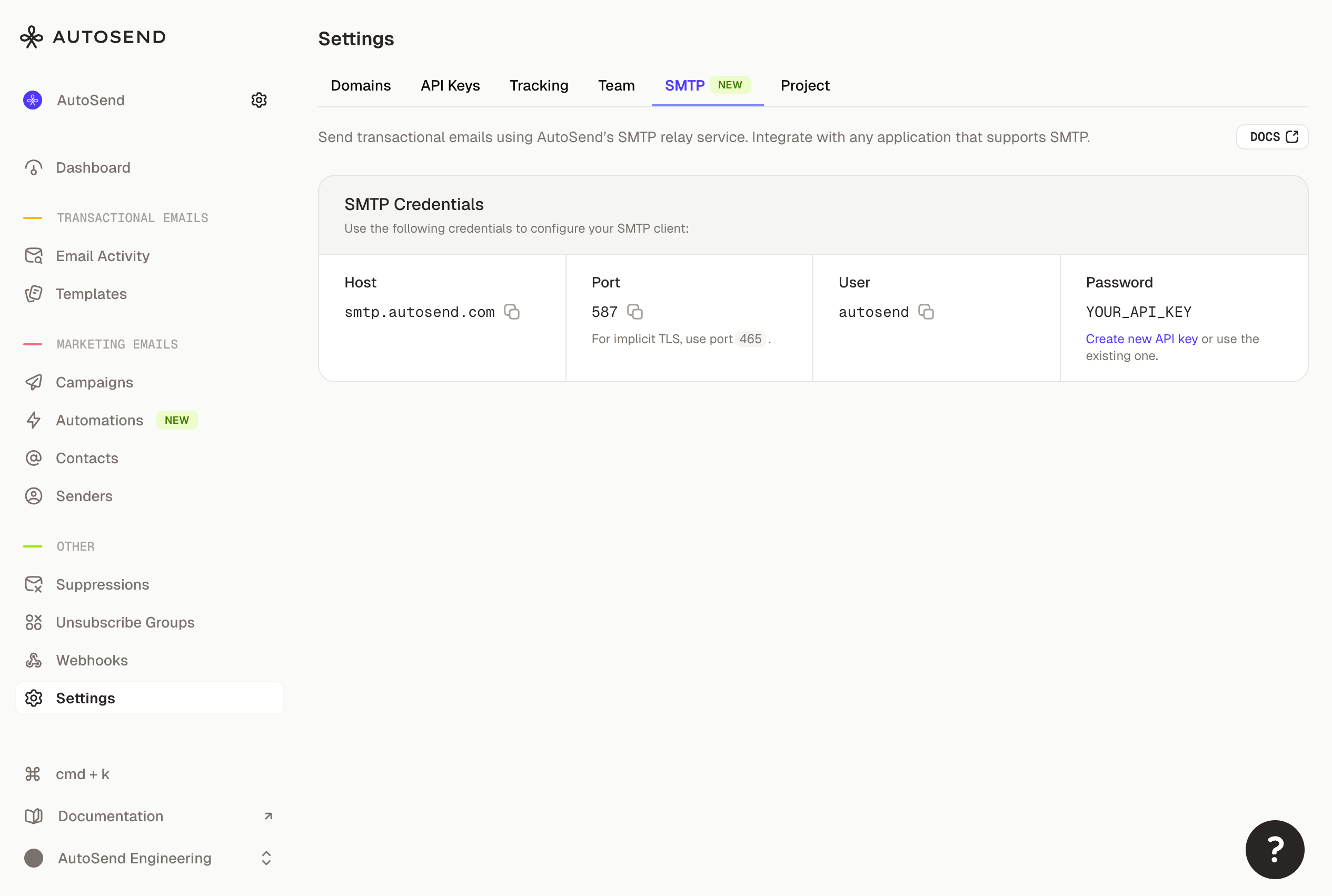
- Simple setup - Go to Settings → SMTP to get your credentials. Host, port, and username are pre-configured. Generate an API key to use as your password.
-
Standard SMTP - Connect using
smtp.autosend.comon port 587 with TLS. Works with any SMTP client, library, or platform that supports standard SMTP. - Same deliverability - All the benefits of AutoSend’s sending infrastructure. Same reputation, same analytics, same reliability.
Improvements
- Better analytics UI - Campaign and automation analytics now show clicked status sections. Empty states are cleaner and more helpful.
- Contact sorting - You can now sort contacts via the API. Useful for paginating through large contact lists in a specific order.
Bug Fixes
- Date filter equals - Fixed an issue where filtering contacts by an exact date wasn’t working correctly.
- Campaigns count - Fixed incorrect campaign counts in the campaigns list.
Your feedback is helping us build the best email platform. Keep it coming at .