

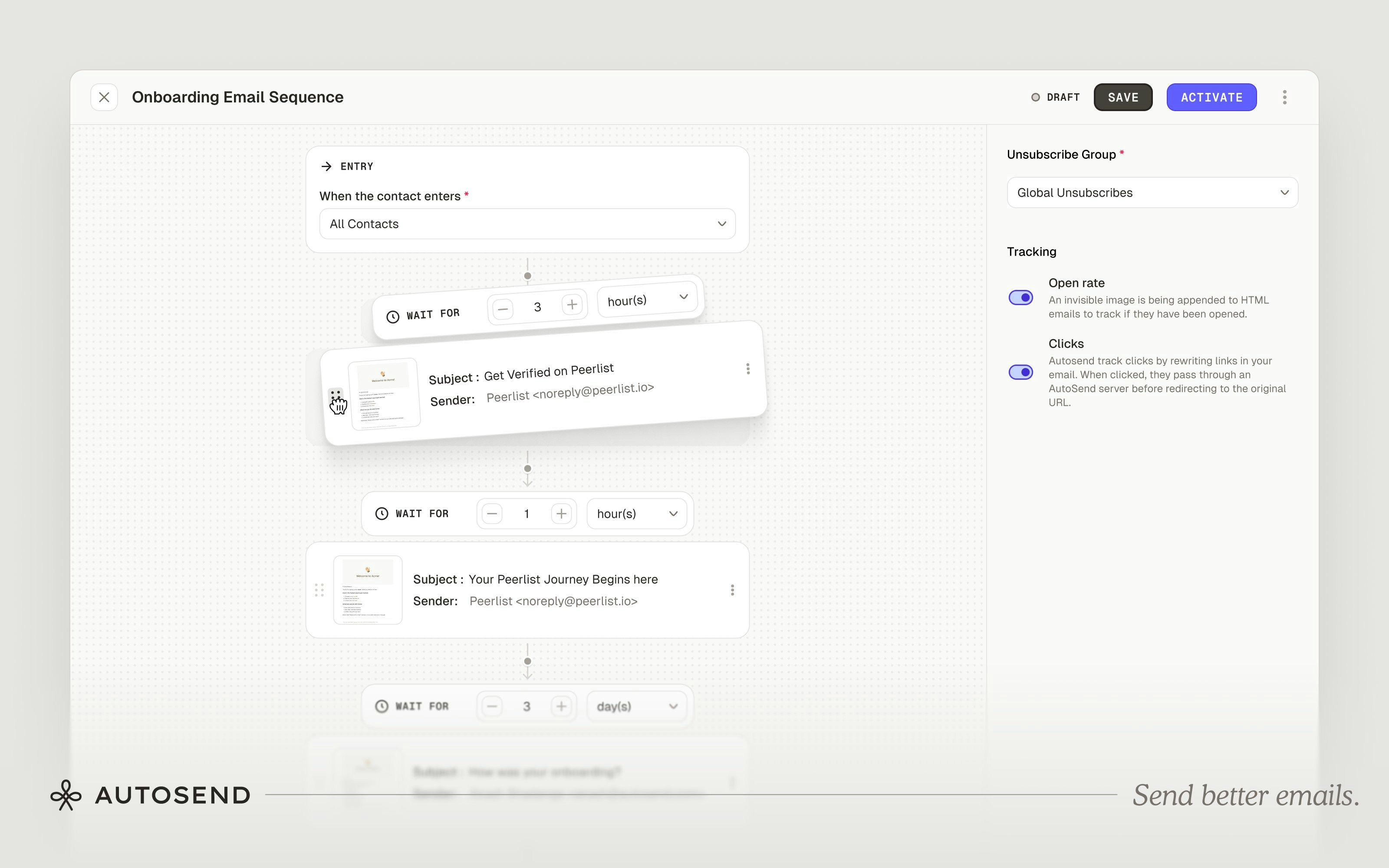
New Features
- Visual Builder: Design automation flows in a drag-and-drop interface. See your entire sequence at a glance with entry points, wait steps, and email blocks connected in order. Add new emails to your sequence with one click and adjust timing without touching code.
- Flexible Timing: Set delays between emails:immediately, hours, days. You control when each email goes out.
- Exit Conditions: Control when contacts leave automation sequences. Set sequences to end when all emails are sent, or exit contacts immediately when they’re removed from the triggering list or segment. Prevents sending irrelevant emails to contacts who no longer match your criteria.
- Unsubscribe Groups: Assign each automation to a specific unsubscribe group. Contacts can opt out of individual automation sequences without unsubscribing from your entire email list. Gives users control over what they receive while keeping them in your broader audience.
- Tracking Built-in: Enable or disable open and click tracking for each email in your sequence. Performance analytics show open rates, click rates, and engagement metrics for each email, so you can see which messages perform best.
Common use-cases
- Welcome sequences - Send a series of emails when someone signs up, introducing your product, sharing getting started guides, and building the relationship from day one.
- Onboarding drips - Guide new users through your product over days or weeks. Each email highlights a specific feature, shares a tutorial, or encourages the next action.
- Re-engagement campaigns - Automatically reach out to inactive users with targeted content, special offers, or feedback requests to bring them back.
- Trial conversion sequences - Nurture trial users with use cases, success stories, and reminders as they approach the end of their trial period.
- Waitlist nurturing - Keep waitlist users engaged with product updates, behind-the-scenes progress, early feature previews, and launch countdown emails until they get access