

What’s New
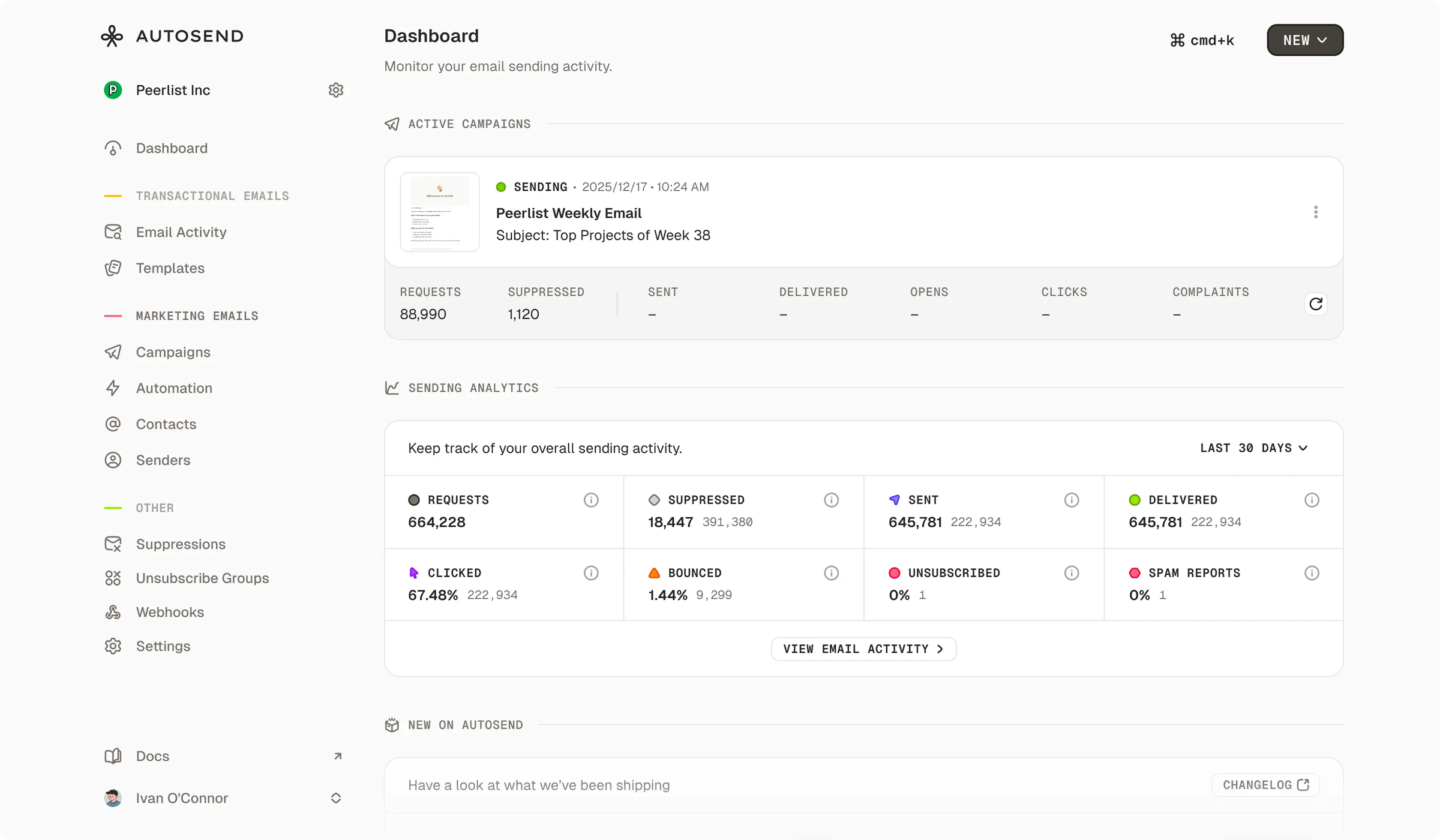
1. Dashboard That Actually Shows What You Need
Your dashboard now surfaces everything important right when you log in:- Analytics at a glance: Key metrics like sends, opens, clicks, and bounces front and center. No more digging through reports.
- Active campaigns first: See what’s scheduled or running right now.
- Product updates: Stay in the loop with the latest features and improvements we’ve shipped, without checking our changelog manually.
2. Fresh Landing Page
We’ve completely redesigned our landing page with a modern look that better explains what AutoSend does. New interactive sections, smoother animations, and a clearer story about how we help you send better emails. If you’re curious or know someone who might benefit from AutoSend, check it out at autosend.com.More Improvements
Faster CSV Imports
Importing large contact lists just got way faster. Upload your CSV and get back to work. We’ll let you know when it’s done.User ID Support in CSV Imports
You can now import user IDs along with your contact data. Perfect if you’re syncing contacts from your own database and want to maintain consistent identifiers across systems. Check the CSV Import Guide for details.List-Unsubscribe Header
We’ve added the standardList-Unsubscribe header to all emails sent through AutoSend. This helps email clients like Gmail and Apple Mail show one-click unsubscribe buttons, improving deliverability and keeping you compliant with email best practices.
It just works. No configuration needed.
Fixes
We’ve also squashed a handful of bugs this release:- Fixed campaign analytics not refreshing properly when switching between campaigns
- Resolved dark mode styling issues with the payment alert banner
- Improved link formatting in the email builder for better reliability
As always, let us know if you run into issues or have feedback at . We’re listening (and probably already working on the next thing you didn’t know you needed).
Learn More
Dashboard
Your new command center for email analytics and active campaigns.
Import Contacts
Learn how to import contacts with CSV files, including user IDs.
Campaigns
Create and manage your email campaigns.
API Reference
Explore the AutoSend API and start sending emails programmatically.